by Michael Cropper | Sep 22, 2016 | Client Friendly, Developer, WordPress |
Something which has been on our own to-do list for far too long than I’d care to admit, we’ve finally got around to automating our email marketing campaigns. Firstly, if you aren’t on our mailing list yet, why, it’s awesome and we share some amazing content like this you’re reading now. Secondly, get signed up at the bottom of this page by entering in your email address.
Now let’s look at what we’ve recently got set up and how we’ve automated our entire email marketing campaigns so we can spend more time focusing on writing great content, running events and training courses and generally connecting with businesses and people much more efficiently. Why spend time doing something manually if you don’t need to, right?
What’s Wrong with Manually Sending Email Marketing Campaigns?
Ok, so let’s quickly cover this one. Firstly, if you are sending email marketing campaigns through something like Outlook, you are doing it all wrong. Head over to our Really Simple Guide to Email Marketing to understand why.
Now, we’re assuming you’re using an email marketing tool such as MailChimp. And do you know what, sending email marketing campaigns manually is absolutely fine. There is nothing wrong with doing this at all. But. If you are sending email marketing campaigns manually to share content such as Blog Posts or Events that you are running, you are wasting time doing this manually when you could automate the entire process. It’s all about saving time so you can be more productive in what you are doing.
So let’s look at how you can automate your email marketing campaigns with WordPress and MailChimp.
WordPress RSS Feeds
If you didn’t already know, virtually every type of content on your WordPress website has an automatically generated RSS Feed URL that can be accessed when you know where you are looking. Take a look through the WordPress RSS Feeds List for information on where to look.
For example, here is our main Blog’s RSS Feed URL if you want to take a look what this looks like;
https://www.contradodigital.com/blog/feed/
Find the relevant RSS feed that you want to use to send email marketing campaigns to your audience as you’ll need this shortly.
MailChimp Groups
Within MailChimp you can segment your Lists into different Groups based on what people have subscribed to. There are many way of organising your MailChimp subscribers, so we’re not going to cover that right now. For the purpose of this blog post, we’re going to use Groups to segment a single List based on what people are interested in which helps to keep everything easy to manage to avoid duplication.
To create a Group in MailChimp you navigate to your List, then click on Manage Subscribers then Groups which will allow you to enter in specific information about how you want to group people together.
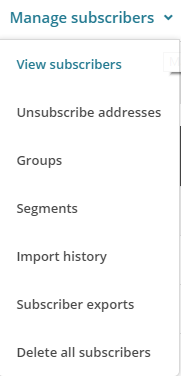
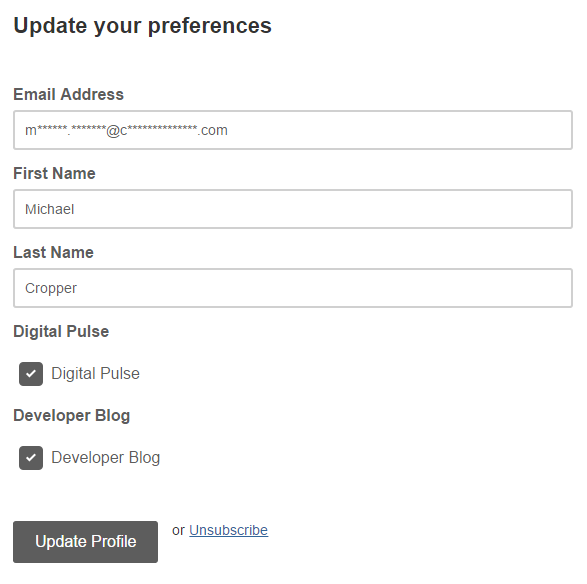
The reason you want to create a new Group is so that you can allow your audience to subscribe to multiple different groups from the same Newsletter. This allows you to send emails to specific groups of people within your mailing list. Simply configure the relevant settings for yourself as this information will display when a user is updating their subscription preferences;
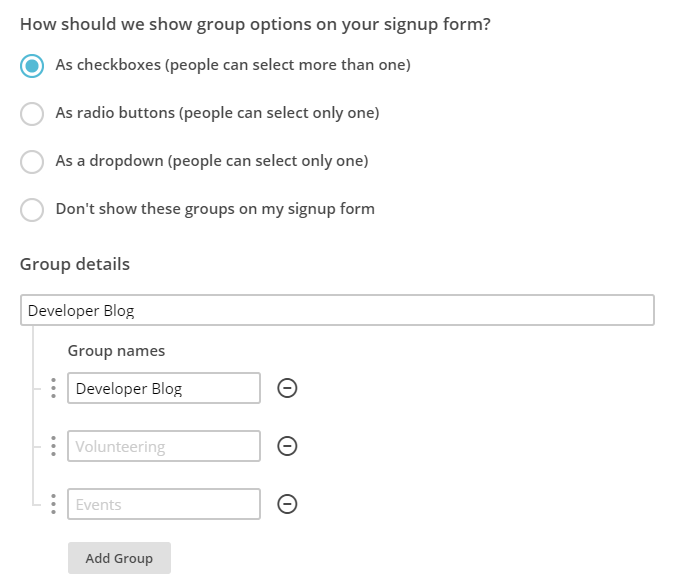
Ok, so now you’ve created a group, let’s start to join everything together. In the first instance you can even migrate people into specific groups should you wish.
Here is how the data you enter in this section will display when the user is managing their profile on your newsletter.
MailChimp RSS Campaigns
Create a Campaign
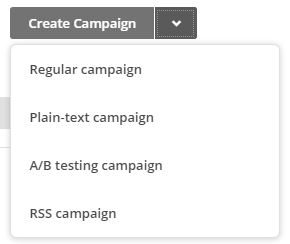
Firstly, create a new campaign in MailChimp but be sure to select an RSS Campaign as the campaign type as this comes with a few handy settings that have been automatically built in for you.
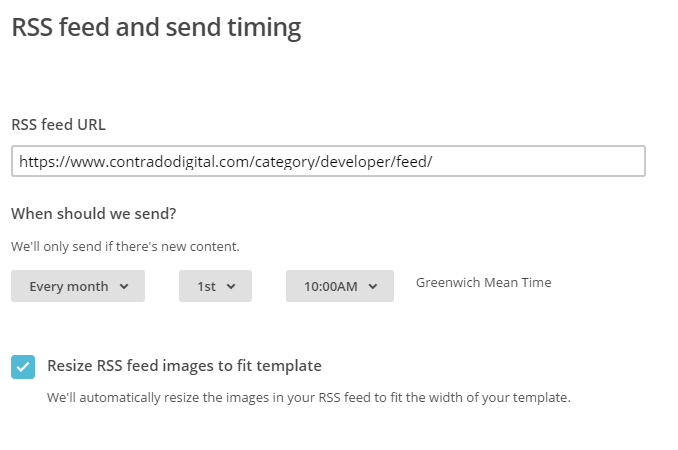
Confirm your RSS Feed Settings
Enter in all of the settings related to when you want to be sending your campaigns and where the data is coming from. In this example, we’re looking to send out content from the Developer Blog so we enter in this information here.
Select Your Recipients
Next you need to select who you are sending the emails to. Here you are going to want to send emails to a Group of users you have just created earlier. This could be for a specific set of content on your website or even a specific interest if your website has multiple interests on there.
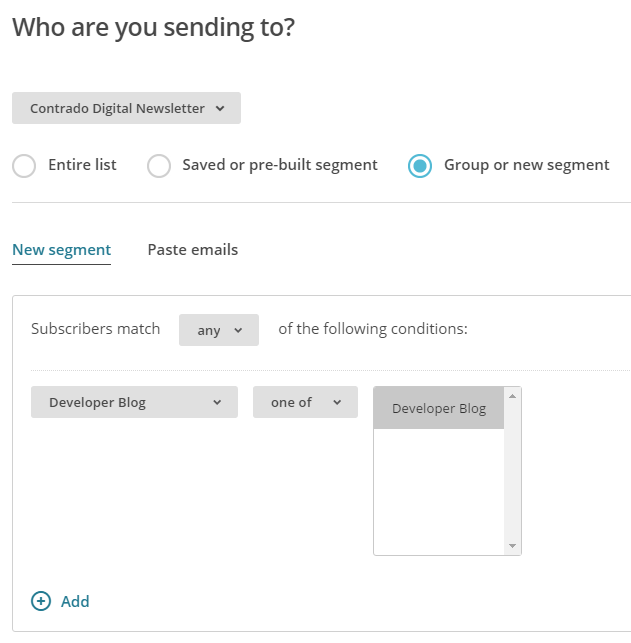
There are a lot of options here so we’re not going to cover everything. Use the options that are best suited for your individual needs.
Personalise your Campaign Information as Usual
If you are reading this blog post, you’ll already be used to creating your campaigns as normal and personalising the relevant information so we’ll skip over this bit here. Just make sure you do this when you are creating the campaign.
Choose an RSS Template
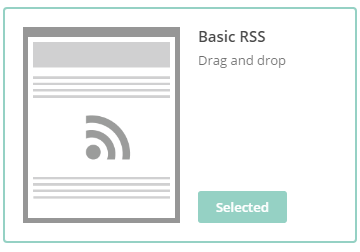
Simplicity is key here which is why you should choose one of the default RSS templates which you can select. This will automatically include lots of handy information for you which will speed up your development for sending RSS campaigns.
Design your Email Template as Usual
Again, we’re not going to cover this part here. All of the pre-populated fields have been created for you when using an RSS template, so you’re all good to go. Simply personalise the look and feel of your campaign as you see fit.
Preview & Test
The next step is to preview and test your campaign. This is so important to do as you can really annoy people when you mess up a campaign and send it out with missing information and or incorrect information.
Start RSS Campaign
Then you’re good to go, start your RSS campaign running and you will never have to worry about manually sending email marketing campaigns again.
This really is just the starting point about what you can do when you start to automate your email marketing campaigns. Take the time to think through what you are doing, why you are doing is and what you are looking to get out of it. Automation can save you so much time when you think strategically about what you are doing.

by Michael Cropper | Sep 19, 2016 | Client Friendly, News |
We speak with many businesses who simply do not have the budgets to pay for quality websites which is a shame as this ultimately ends up with their websites being built extremely badly, costing a lot of money in the long run and the businesses suffer as a result. Generally speaking, businesses come to us after they have gone through this pain and need the right solutions putting in place, when they have a realistic budget to work with. Digital doesn’t come cheap, until now.
Introducing CreoPressto, the only website builder that gives you full control of your website without you ever needing to get into the technical aspects at all. Whether you are looking for a basic brochure website or a fully-fledged ecommerce website, CreoPressto is capable of growing with you. It’s so easy to use, literally anyone in the office could build a website with CreoPressto.
We challenge you to take a look at how CreoPressto can revolutionise the way you work with your website by empowering your organisation and taking control of your own destiny. The self-build technology allows you to make your website look and feel however you want with no restrictions or limitations in place. If you can imagine it, the CreoPressto platform can work for you.
Never have to worry about the technical aspects in the background, we’ve brought together various industry leading website technologies to create an awesome platform that is capable of powering your entire website with ease and growing with you over time so you don’t need to keep buying a brand new website every few years.
With hundreds of features and functionality to keep you busy, the pain free quick and easy drag and drop visual website builder allows anyone to build a website with ease, with no prior knowledge required. If you can use Microsoft Word, you can build a website with CreoPressto that is safe, secure, flexible and capable of growing with you as an organisation. Here’s just a small handful of the features available with CreoPressto.
Bar Counter Modules

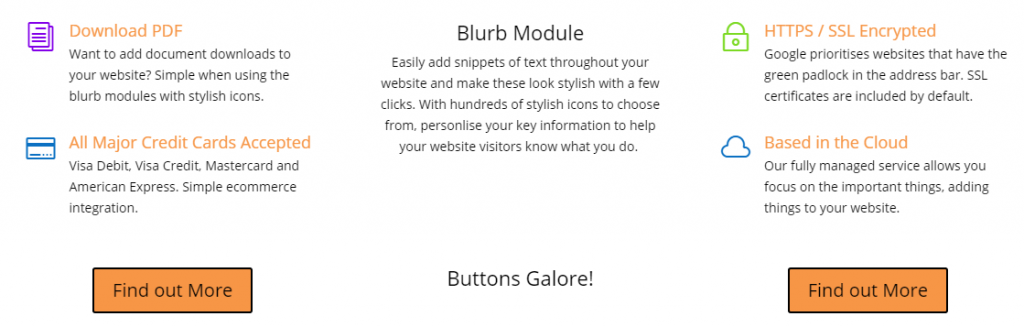
Blurb Modules
Countdown Timer Modules

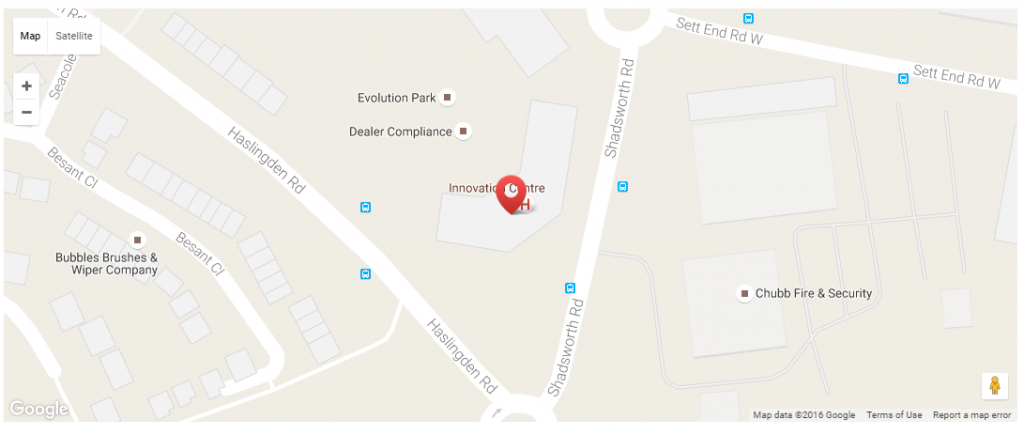
Google Maps Modules
Social Media Modules

User Account Management Modules
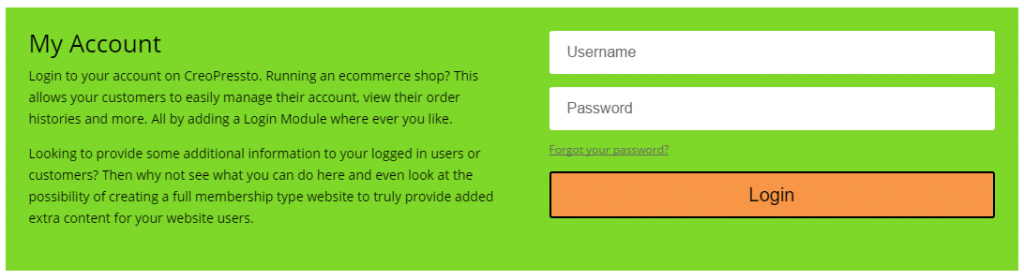
And many many many more options to choose from!
Pricing
CreoPressto is entirely self-service, allowing you to create whatever you can imagine. Due to this, pricing starts as little as £49.99 + VAT / month which gives you enterprise level functionality on your website without the traditional costs associated with this. Pretty awesome, right? To give you an idea of what is included with this;
- Web Hosting
- SSL Certificate
- WordPress Installation
- Website Blog
- Awesome Page Builder
- Ecommerce
- Over 30,000 Free Plugins
- Forum Support
- Google Analytics
- Search Engine Optimisation
- Automatic Security Updates
- Automatic Backups
- Automatic Server Updates
- cPanel Server Access
- FTP Access
- 10 GB Storage
- 5 GB Monthly Bandwidth
- Forum Support
With packages designed to grow with you over time as your needs expand. The beauty of CreoPressto is that if you need additional support with building your website, this is on hand from the team at Contrado Digital or anyone else you wish to work with.

by Michael Cropper | Sep 19, 2016 | Client Friendly, News |
Such a common rhetoric from virtually every business who is looking to recruit digital talent within their organisation, “We can’t find people with the right skills”. Firstly, to those organisation, make sure your jobs are posted on Tendo Jobs, it’s free to do so and we have lots of active job hunters regularly searching for skills in every sector ranging from retail to highly technical digital roles to C-level roles. Secondly, instead of complaining about not being able to find the right staff, let’s look at the practical steps to growing your own talent.
Quite frankly, the lack of skills talk hasn’t changed in the digital world over the last several years and it’s getting a bit boring to keep listening to if I’m honest. So we thought we could do something about that. Introducing Contrado Academy, the practical hands on courses designed to allow your staff to learn how to ‘do digital’ the right way. With a variety of courses running in locations throughout the UK, we’re able to deliver high quality training courses that teach the practical skills and real-world experience that your employees need to know. Whether you are looking to know the basics or progress through the variety of courses and become a fully-fledged digital expert, we have courses available from beginners to advanced in a variety of areas.
Contrado Academy is not a traditional academic setup, the courses have been created by professionals working in digital day-in-day-out which covers the practical skills and information that is in demand from employers. Traditional education establishments are great, seriously, go to Colleges and Universities when you are looking for the long term investment. The unfortunately reality for people working in digital though is that employers need skills now, they cannot afford to wait for 1-3 years for a new course to be signed off by the various committees involved then a further 3-4 years for students to graduate. The world has moved on by then. Digital apprenticeships are certainly doing something to address these issues, yet not everyone wants to do an apprenticeship, they just want to complete a short course that gives them the skills and information required to do they job they are doing, do it better or develop their skills for the future.
Take a look at the variety of courses on offer and stay tuned for dates when courses are announced very shortly.
https://academy.contradodigital.com/courses/
Current courses available include;
- Web Development for Beginners
- WordPress for Beginners
- Intermediate WordPress
- Advanced WordPress
- HTML for Beginners
- CSS for Beginners
- JavaScript for Beginners
- Linux Web Server Management for Beginners
- PHP for Beginners
- Java for Beginners
- Java Web Applications for Beginners
- Social Media for Beginners
- Introduction to Digital Marketing
- Google Analytics for Beginners
- Google AdWords for Beginners
- Email Marketing for Beginners
- Ecommerce for Beginners
- Apple iOS Development for Beginners
- Android Development for Beginners
- Search Engine Optimisation SEO for Beginners
- Cyber Security for Beginners
Whether you are looking to train your current staff in the vast array of digital technologies or you are reading this as someone who is looking to enter the world of digital, there are a variety of courses available to suit your needs.
by Michael Cropper | Sep 14, 2016 | Client Friendly, Security |
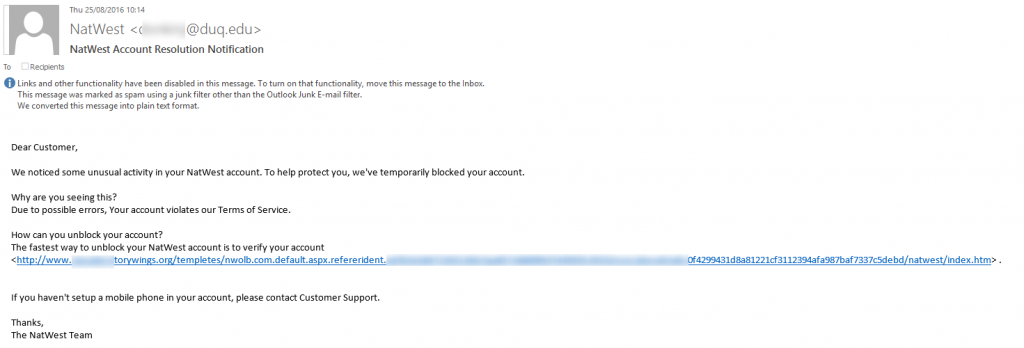
Probably one of the worst examples we’ve seen for a phishing email recently. Be aware though that these things do still catch people out. When you receive emails like this, always check the email address is from the correct website. Clearly in this case it isn’t. While this information cannot be trusted as this can be easily spoofed, many phishing emails like this one appearing to be from NatWest haven’t even bothered to add in the correct from email address.
Likewise, you will notice that the link they are asking you to click doesn’t go through to a NatWest website. Again, this information can be easily masked so you are best never to click on links in emails which appear to be suspicious. Always make sure that you open your web browser, go to the website directly without clicking on any links in emails to view notifications on your account. If the email was genuine, you will also have a notification within your account with the relevant information on.
Be safe.