by Michael Cropper | Oct 8, 2015 | Uncategorized @en-us |
Many small to medium sized business are afraid of social media, are unsure what they should be doing on social media and spend an awful lot of time managing social media without any idea of what they are getting back from it. We’ve already covered how to monitor your social media activities and reviewed various tools to help you manage social media effectively. Now it’s time to take this one huge step further to automate virtually 99% of your social media accounts using technology.
If you’re a business owner or aren’t that tech-savvy then some of this may be a bit over your head, so get in touch and we can look to set up the same process for you with ease and show you how to use this system. The investment in this setup using free technologies will pay for itself within a matter of weeks within your business in time saved, allowing you to spend time improving other systems and processes to become more profitable.
Before people start jumping on the bandwagon about how social media should be personal, you should spend time crafting messages and treating every account differently etc. Bear with me. The reality for many businesses is that they quite simply don’t have time to be doing the work that large brands do as large brands have teams of people managing their social media activities in the background. The reality for the majority of small to medium sized businesses is that this is left to either a single marketing manager, a junior member of the marketing team or even the managing director to manage. For all of these people, social media management is not at the top of their priority list and is an area which can be made extremely efficient with technology and automation without compromising on the quality. On the other hand, if you feel that your business needs someone to be doing everything manually, then good on you, you’re probably wasting a lot of time as this is the equivalent of still using a dustpan and brush when you could just use a Dyson or a Roomba.
Now, on to the good stuff. Personally we use a whole host of technologies, automation techniques and manual interactions to manage our social media channels which works for us. Every business is different, so take what you will from this and if this could work for you, then great, you’ll be saving hours or time per week through the use of smart technologies.
The Manual Process
Before we jump into the automation, let’s just look at the common ways people identify content to share on social media channels. They are likely subscribed to either a daily, weekly or monthly newsletter from a variety of industry magazines and websites or they use a well-crafted set of followers on social media to manage their news feed effectively. We use a mixture of both, with the main @ContradoDigital Twitter account following relevant digital accounts that share some awesome news about the world of digital. As always, not everything is relevant for what our audience wants, so we need to filter out this so that the content that is shared is highly relevant to our audience who is interested in technology, innovation, digital marketing, security and general digital news.
Based on this, we review the content that is being published around the web and any content that is relevant we also share on our social channels, both company channels and my personal channels for Twitter, LinkedIn, Facebook and Google+. We already have technology in place to automate the majority of the social media management process which saves an enormous amount of time already but we wanted to go further and really push the boundaries of what is possible.
We use Buffer to add social media updates to our queue of scheduled posts to be posted out to all social media channels along with Bitly to track the engagement from our followers to understand what content they like to read about. The last piece of the puzzle is how to automate adding content to Buffer with ease. Traditionally we would either favourite a news story on Twitter or open that news story in the browser then use the Buffer Google Chrome plugin or Buffer App on mobile to add this to the queue. While not particularly difficult to do, adding a new story to the queue could take up to 2 minutes by the time the pages have loaded and everything has been completed. 2 minutes, multiplied by 6 posts per channel per day, multiplied by 20 days per month equates to around 4 hrs per month spending time adding content to social media channels for our audience. I’d guess that this is already significantly less than what you spend managing social media channels, but we wanted to go one step further and significantly reduce this to only 60 seconds per day.
What if there was a better way…
Introducing Automation using IFTTT
If you haven’t come across If This Then That (IFTTT) before, then quite simply this piece of free technology is designed to automate almost anything you can imagine that you are doing manually. The service links together web based technologies through the use of Application Programming Interfaces (APIs) which can be simplified as systems talking to other systems.
All modern and scalable web platforms have some kind of open API built in with them as they understand how this key functionality automates the work and grows their business. It is this what we’re plugging into to join the dots and save 4 hrs per month.
The logic behind the automation is as follows;
- When a Tweet is Favorited on Twitter
- Send this to Buffer to be automatically posted out to our followers who are interested in this content
There is a little more behind the scenes which we’ll talk through in a minute, but that is the gist of the setup.
The Process for Automating 99% of Social Media Management
So let’s just jump right into how to get this set up. Once set up, you will be saving hours of time per week managing your social media activities. Most businesses spend an hr or two per day managing social media activities. We spend 60 seconds per day as we’ve implemented the right technology to become more efficient.
Bitly
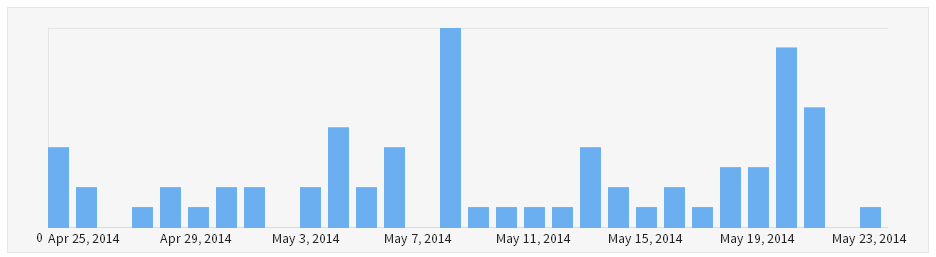
Set up a Bitly.com account if you don’t have one already. This is going to track how many people are clicking on the links that you are sharing on social media on a daily, weekly and monthly basis. Allowing you to improve performance of your social media activities over time.
Buffer
Set up a Buffer.com account if you don’t have one already. This is going to automate all of your social media posts by adding everything to a pre-scheduled queue. Allowing you to simply add a post to Buffer which will then be automatically posted to your default social media profiles that you can configure to send out an update at a set time of day/week as you choose.

Make sure you link your Buffer account with Bitly in the settings to track link clicking statistics through Bitly as we find this provides a bit more insight than Buffer. You also need to set your default social media profiles up. So if you have multiple social media profiles to manage, then set which are your default ones that you want to send updates to as these will be used with this automation setup.
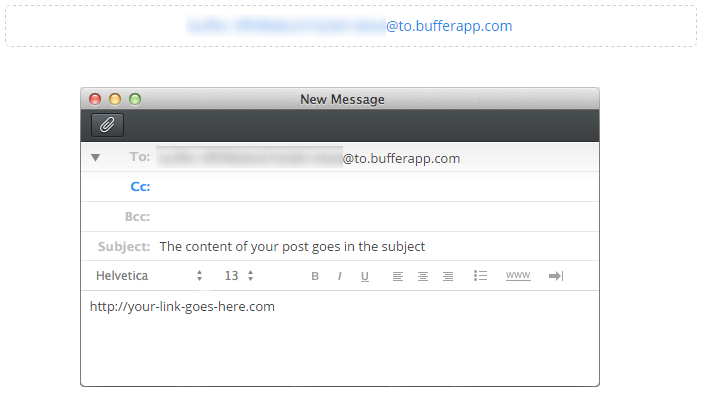
Buffer has the ability to email updates to Buffer which will be automatically added to your queue which is what we’re going to be using to automate things. Find your Buffer Secret Email Address within your account settings;
Now comes the clever part, using IFTTT.
IFTTT
Set up an IFTTT account if you don’t already have one. A component of IFTTT is that you create a Recipe which has Ingredients. Using this setup, you are essentially triggering an action to happen when something else happens beforehand.
In this example, we want to send an email to Buffer from Gmail when we Favourite a new Tweet on the @ContradoDigital Twitter account.
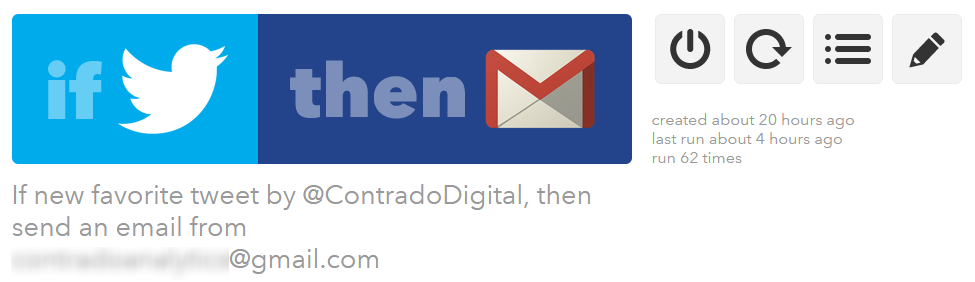
To do this, click on the “Create Recipe” button which will guide you through the process. As part of this process, IFTTT will connect with your Twitter account and your Gmail account. All fairly straight forward here. The part that you need to configure properly is what to contain in the email as there are specific shortcodes called Ingredients which need to be included so the correct information is sent over to Buffer to add everything to the right areas. Here you enter in your Buffer Secret Email Address from earlier along with the shortcode {{TEXT}} which will pull in the text from the Tweet you have just favorited and send this to buffer to use in the update;
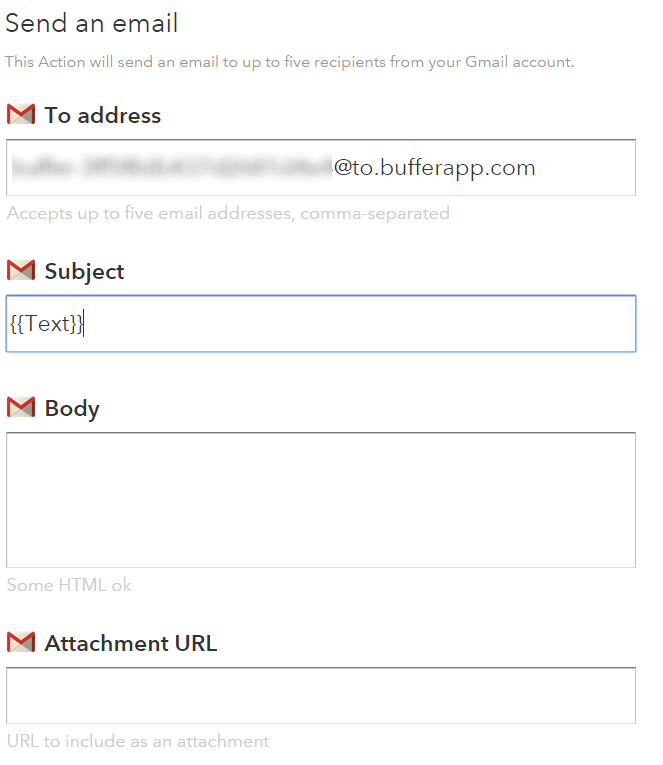
Once you’ve done this, it’s simple. Save the Recipe and start adding Tweets to your Favourites. IFTTT runs every 15 minutes or so, fully automated, so when it detects a new Tweet that you have starred then it will automatically post this out to Buffer.
All in all, meaning that we spend an average of 60 seconds per day managing our social media accounts, saving hours per month, allowing us to focus on more productive areas working with clients to implement similar technologies within their businesses to save them time and money.
If you’d like to make your social media accounts extremely efficient like we have and all of this has gone a bit over your head, then get in touch and we can look to set up the same process for you with ease. The investment in this setup using free technologies will pay for itself within a matter of weeks within your business, allowing you to spend time improving other systems and processes to become more profitable.
by Michael Cropper | Sep 21, 2015 | Uncategorized @en-us |
That’s right folks, it’s that time of year again, and we’ve reached the grand old age of 2!! Yay!

So at this special time of year, it’s always nice to look back at what we’ve achieved and where we are heading next.
Accomplishments
Below are some of our notable accomplishments in our 2nd year of business.
Expanded Resources

We’re committed to providing businesses with the right digital knowledge and expertise as they need it which is why we’ve significantly expanded our free Digital Resources to include guides on many of the topics that we often get asked about from businesses. If you haven’t had a look already, browse through our range of digital resources and particularly our Really Simply Guide series which explain things without the jargon;
- Block Referrer Spam in Google Analytics
- Digital Jargon Buster
- Digital Myth Buster
- Digital Pulse
- Cyber Security
- Really Simple Guide to Business Email Addresses
- Really Simple Guide to Digital Ownership
- Really Simple Guide to Search Engine Optimisation
- Really Simple Guide to Pay per Click Advertising
- Really Simple Guide to Blogging
- Really Simple Guide to Tracking Online Advertising
- Really Simple Guide to Payment Gateways
- Really Simple Guide to Email Marketing
Online Security

Online security is one of the greatest challenges to date which is why we’ve been sharing regular security related news to keep you and your businesses safe from cyber criminals. We’re on top of security so you can focus on running your business
Read through our online security resources and news and our write up of the Cyber Security Conference we attended.
We’ve Gone International
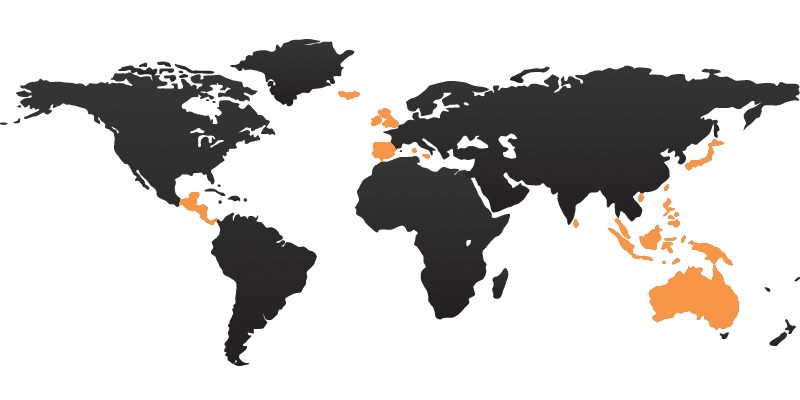
Taking the skills, knowledge and experience of Contrado Digital over to the USA. Digital channels make the world more accessible than ever before when you understand how to take advantage of these channels. Not only have we helped businesses in international markets, we’ve also gone international ourselves with a fully multi-lingual website allowing us to capture more online searchers in new markets.
Going beyond this we also provide specialised training with our Digital Passport to Export programme which has been designed specifically to look at how your business can grow internationally without the traditional costs involved.
We’ve Partnered with UKFast to Offer Industry Leading Web Hosting

Your website is more than just a few digital files sat on a web server, it is the front door to your business for the modern consumer. That’s why we’ve partnered with UKFast in Manchester to offer industry leading web hosting to businesses to ensure your website is running on the right technology that is suitable for your needs.
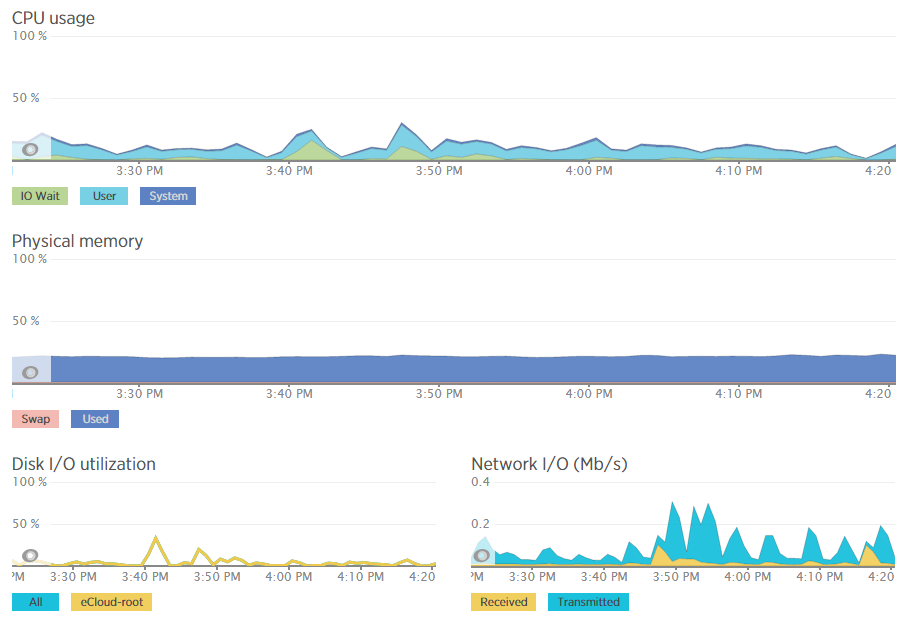
Beyond this we’ve invested heavily in industry leading web server resource monitoring technology allowing us to further solidify our web hosting offering for businesses with the confidence that we can significantly minimise the problems that often come with web hosting.
Industry Conferences and Events

Being at the forefront of digital we often get asked to speak at industry conferences and events and this year was no different. Getting involved with Salford University’s Creative Entrepreneur event at MediaCityUK to talk to businesses about the Christmas retail period and how they can take advantage of this. In addition to running many workshops of our own we’ve also been involved with organising this year’s WordCamp Manchester 2015 conference to give something back to the WordPress community.
The Big £5k PPC Give Away
The Hacienda Lives at Google Manchester
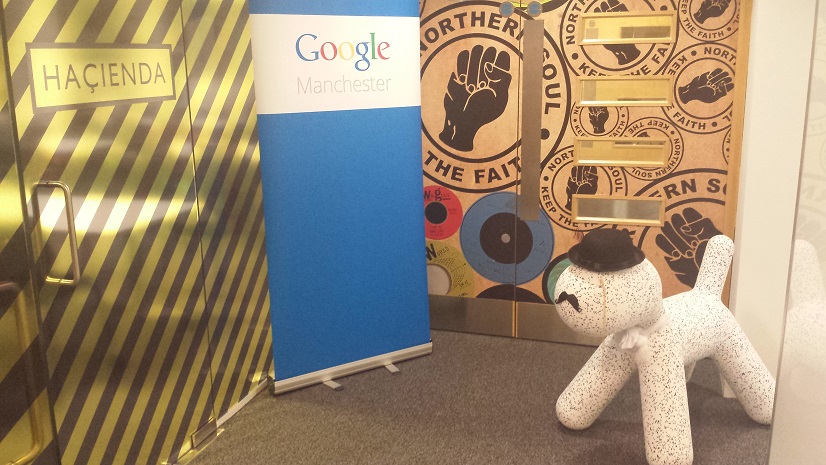
As we’re working towards our Google Partnership status we were invited back to Google’s Manchester office for a top up course on the latest trends and techniques on Google AdWords. In addition to this, we regularly receive free Google AdWords vouchers which we give away to businesses of all sizes new to using Google AdWords. The Big £5k PPC Give Away campaign sparked a lot of interest alongside training events designed to help businesses set up their first campaign in no time.
We still have Google AdWords vouchers available, so if your business would like to take advantage of modern digital marketing, then we’ll be happy to provide a free Google AdWords voucher for you to use. Working with our dedicated Account Manager at Google, you can be sure to get the right advice that you need for your business to grow.
Google Invited us to London

As part of the Grow Local campaign, designed to get local businesses utilising Google AdWords to grow their business, Google invited us for a party in London to celebrate the achievements and the results from the campaign.
Thoughts and Discussions
Meeting regularly with business leaders, funded project partners and support agencies within the business community, we’ve been discussing some very interesting topics about how digital is shaping the world we live in. So we decided to start to write a few of these up to share our thoughts with everyone;
Rise in Problems
A bit of a downer, although worth mentioning as we’ve seen a rise in issues for businesses when it comes to the world of digital. Often related to working with inexperienced people, all of which can be avoided. Which is why we’ve started to write about the problems we’ve been seeing so businesses can learn from the mistakes of others sooner and save their business valuable time and money;
Technology Discussions
Technology allows you to implement solutions in many different ways. This in itself can cause a few issues which is why we’ve started to discuss some more technical items to help you learn from the mistakes of others;
Thinking about the right technology for your business should not be a quick decision. Speak with people and companies who are experts in their fields to ensure the technology you are implementing is going to be suitable for your needs for many years to come.
Awards & Recognition
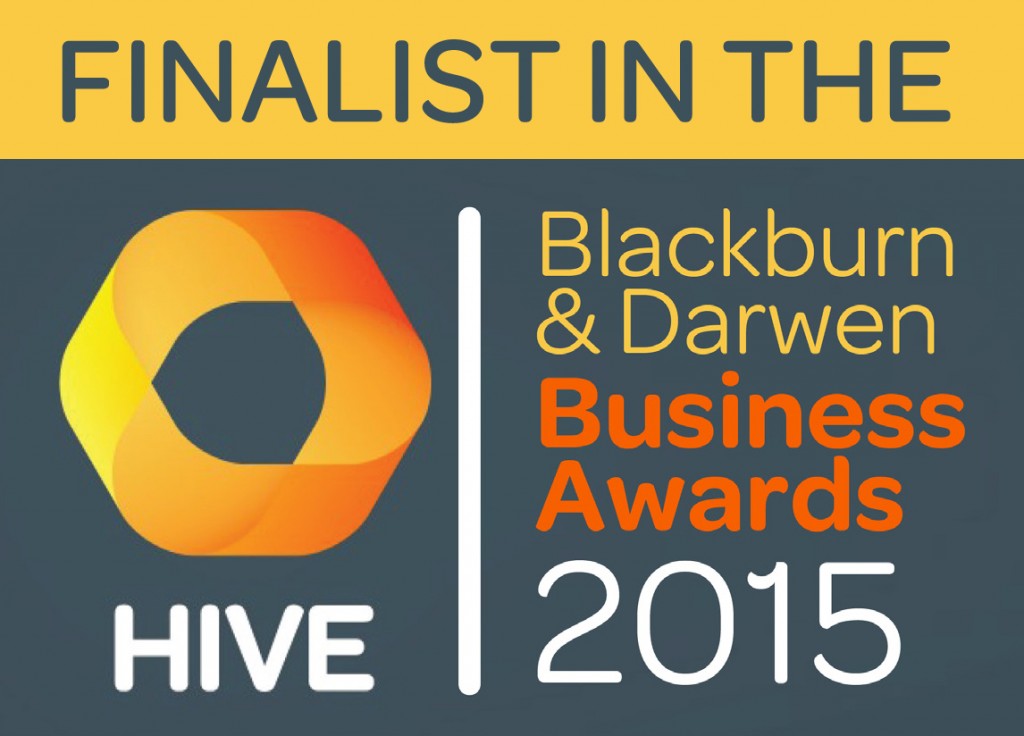
Adding to the success of last year, we were shortlisted in the finals for the Hive Awards in three categories;
- Creative Agency Award
- International Achievement Award
- Young Entrepreneur Award
Our list of awards and recognition is growing quite nicely!
Case Studies
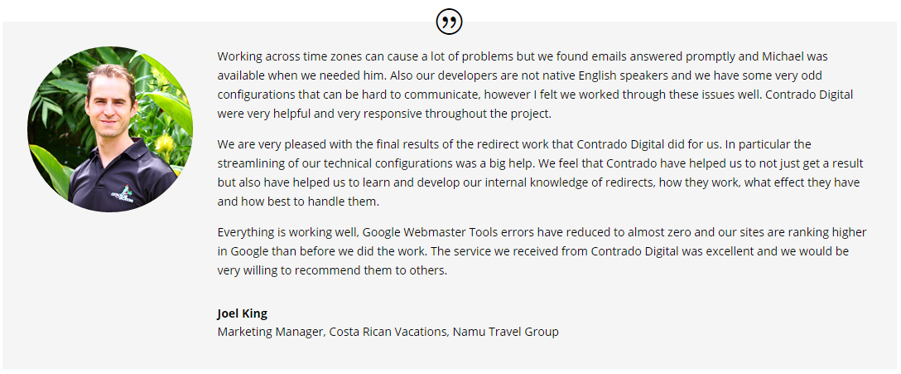
While we like to think we are rather good at what we do, it’s always nice to see such positive feedback from clients, staff and businesses who we’ve worked with recently and throughout our careers. It is comments and feedback like this which is why we do what we do. Take a look through the range of case studies and testimonials now available on the website with real feedback from real people.
Overall
Last year was an exciting time for us, really solidifying our position as the go-to company for results driven digital marketing campaigns. Anyone can build a website, ‘do SEO’ and ‘do PPC’. Very few can build a website that works, is scalable, is using the right technology and performs for SEO, PPC, Email and Social. We focus on the digital strategy for organisations looking to seriously boost their revenue online and we are being recognised for this work that we do which is fantastic to see.
Looking Ahead to the Future
So that’s just a quick summary of what we’ve been busy doing last year and what we’ve achieved in such a short space of time. Now to the future. Where are we heading next? Well, this is a really interesting and exciting time for us but we can’t go into too much detail just yet…
Alongside the regular ambitious businesses we work with, suffice to say that we’re working on some super exciting internal projects that are scheduled to launch before the end of the year. One of these specifically is something that has been in development for over 12 months which is designed to revolutionise the way people find jobs. Stay tuned for more on this as announcements are made!
Keeping in line with the regular work, we’re always on the lookout for ambitious companies to work with who need direction with their digital strategy. We’ve been working with larger businesses last year and technology start-ups which is always exciting. Whatever the size of business, as long as you’re ambitious, there is generally something we can do to help, so get in touch and lets discuss things further.
by Michael Cropper | Sep 21, 2015 | News |
That’s right folks, it’s that time of year again, and we’ve reached the grand old age of 2!! Yay!
So at this special time of year, it’s always nice to look back at what we’ve achieved and where we are heading next.
Accomplishments
Below are some of our notable accomplishments in our 2nd year of business.
Expanded Resources
We’re committed to providing businesses with the right digital knowledge and expertise as they need it which is why we’ve significantly expanded our free Digital Resources to include guides on many of the topics that we often get asked about from businesses. If you haven’t had a look already, browse through our range of digital resources and particularly our Really Simply Guide series which explain things without the jargon;
- Block Referrer Spam in Google Analytics
- Digital Jargon Buster
- Digital Myth Buster
- Digital Pulse
- Cyber Security
- Really Simple Guide to Business Email Addresses
- Really Simple Guide to Digital Ownership
- Really Simple Guide to Search Engine Optimisation
- Really Simple Guide to Pay per Click Advertising
- Really Simple Guide to Blogging
- Really Simple Guide to Tracking Online Advertising
- Really Simple Guide to Payment Gateways
- Really Simple Guide to Email Marketing
Online Security
Online security is one of the greatest challenges to date which is why we’ve been sharing regular security related news to keep you and your businesses safe from cyber criminals. We’re on top of security so you can focus on running your business
Read through our online security resources and news and our write up of the Cyber Security Conference we attended.
We’ve Gone International
Taking the skills, knowledge and experience of Contrado Digital over to the USA. Digital channels make the world more accessible than ever before when you understand how to take advantage of these channels. Not only have we helped businesses in international markets, we’ve also gone international ourselves with a fully multi-lingual website allowing us to capture more online searchers in new markets.
Going beyond this we also provide specialised training with our Digital Passport to Export programme which has been designed specifically to look at how your business can grow internationally without the traditional costs involved.
We’ve Partnered with UKFast to Offer Industry Leading Web Hosting
Your website is more than just a few digital files sat on a web server, it is the front door to your business for the modern consumer. That’s why we’ve partnered with UKFast in Manchester to offer industry leading web hosting to businesses to ensure your website is running on the right technology that is suitable for your needs.
Beyond this we’ve invested heavily in industry leading web server resource monitoring technology allowing us to further solidify our web hosting offering for businesses with the confidence that we can significantly minimise the problems that often come with web hosting.
Industry Conferences and Events
Being at the forefront of digital we often get asked to speak at industry conferences and events and this year was no different. Getting involved with Salford University’s Creative Entrepreneur event at MediaCityUK to talk to businesses about the Christmas retail period and how they can take advantage of this. In addition to running many workshops of our own we’ve also been involved with organising this year’s WordCamp Manchester 2015 conference to give something back to the WordPress community.
The Big £5k PPC Give Away
The Hacienda Lives at Google Manchester
As we’re working towards our Google Partnership status we were invited back to Google’s Manchester office for a top up course on the latest trends and techniques on Google AdWords. In addition to this, we regularly receive free Google AdWords vouchers which we give away to businesses of all sizes new to using Google AdWords. The Big £5k PPC Give Away campaign sparked a lot of interest alongside training events designed to help businesses set up their first campaign in no time.
We still have Google AdWords vouchers available, so if your business would like to take advantage of modern digital marketing, then we’ll be happy to provide a free Google AdWords voucher for you to use. Working with our dedicated Account Manager at Google, you can be sure to get the right advice that you need for your business to grow.
Google Invited us to London
As part of the Grow Local campaign, designed to get local businesses utilising Google AdWords to grow their business, Google invited us for a party in London to celebrate the achievements and the results from the campaign.
Thoughts and Discussions
Meeting regularly with business leaders, funded project partners and support agencies within the business community, we’ve been discussing some very interesting topics about how digital is shaping the world we live in. So we decided to start to write a few of these up to share our thoughts with everyone;
Rise in Problems
A bit of a downer, although worth mentioning as we’ve seen a rise in issues for businesses when it comes to the world of digital. Often related to working with inexperienced people, all of which can be avoided. Which is why we’ve started to write about the problems we’ve been seeing so businesses can learn from the mistakes of others sooner and save their business valuable time and money;
Technology Discussions
Technology allows you to implement solutions in many different ways. This in itself can cause a few issues which is why we’ve started to discuss some more technical items to help you learn from the mistakes of others;
Thinking about the right technology for your business should not be a quick decision. Speak with people and companies who are experts in their fields to ensure the technology you are implementing is going to be suitable for your needs for many years to come.
Awards & Recognition
Adding to the success of last year, we were shortlisted in the finals for the Hive Awards in three categories;
- Creative Agency Award
- International Achievement Award
- Young Entrepreneur Award
Our list of awards and recognition is growing quite nicely!
Case Studies
While we like to think we are rather good at what we do, it’s always nice to see such positive feedback from clients, staff and businesses who we’ve worked with recently and throughout our careers. It is comments and feedback like this which is why we do what we do. Take a look through the range of case studies and testimonials now available on the website with real feedback from real people.
Overall
Last year was an exciting time for us, really solidifying our position as the go-to company for results driven digital marketing campaigns. Anyone can build a website, ‘do SEO’ and ‘do PPC’. Very few can build a website that works, is scalable, is using the right technology and performs for SEO, PPC, Email and Social. We focus on the digital strategy for organisations looking to seriously boost their revenue online and we are being recognised for this work that we do which is fantastic to see.
Looking Ahead to the Future
So that’s just a quick summary of what we’ve been busy doing last year and what we’ve achieved in such a short space of time. Now to the future. Where are we heading next? Well, this is a really interesting and exciting time for us but we can’t go into too much detail just yet…
Alongside the regular ambitious businesses we work with, suffice to say that we’re working on some super exciting internal projects that are scheduled to launch before the end of the year. One of these specifically is something that has been in development for over 12 months which is designed to revolutionise the way people find jobs. Stay tuned for more on this as announcements are made!
Keeping in line with the regular work, we’re always on the lookout for ambitious companies to work with who need direction with their digital strategy. We’ve been working with larger businesses last year and technology start-ups which is always exciting. Whatever the size of business, as long as you’re ambitious, there is generally something we can do to help, so get in touch and lets discuss things further.
by Michael Cropper | Sep 20, 2015 | Events |
Slides from our talk at Manchester WordPress User Group in September 2015;
Additional Notes
In addition to the slides, additional comments & resources mentioned;
- Use UTM Tracking Parameters on everything
- Google has a UTM URL Builder which can be found here, https://support.google.com/analytics/answer/1033867?hl=en, but we prefer ours here, https://www.contradodigital.com/resources/social-media-tracking-tool/
- Use Event Tracking on everything that someone does on the website that isn’t a page view. This will provide awesome insights into how your website visitors are behaving. Things like social media links, clicking to download, using Yoast SEO Plugin to track outbound links once the setup is configured correctly. Likewise for any mailto: and tel: links to track when customers are using click-to-email and click-to-call technologies.
- Set up goal tracking for everything!
- Set up Goal Funnels, particularly if you are an ecommerce website
- Set up Site Search within the Google Analytics settings, for WordPress the default query string parameter is ‘s’ for search URLs. Try here, http://search.contrado.digital/utm for an example.
- The tracking pixel technology which can be used on all normal emails is Sidekick from Hubspot, really cool technology.
- Use the Network report at Audience > Technology > Network to see which companies have been looking at your website. Most importantly, seeing which companies are looking at your website along with a quick Google search for “{Company Name} Contact Details” means you never have to pay for some of the extortionate service that are available offering this data at a premium
- If your website still isn’t responsive, then compare the conversion rates for mobile visitors with non-mobile visitors. Imagine a world when mobile customers are converting at the same level as desktop visitors and you can calculate the value it brings to have your website responsive and mobile friendly.
- Track offline activities using smart redirects such as contradodigital.com/offer1 which 301 redirects to a UTM’d URL such as www.contradodigital.com/?utm_source=something&utm_medium=something-else&utm_campaign=something-else. Allowing you to track the return on your investment from a print based campaign all the way through to website traffic and ultimately sales or enquiries. All of this data will show within the Acquisition > Campaigns > All Campaigns report within Google Analytics
- Google Analytics uses Last Click Attribution by default. Understand the full conversion funnel and user journey with Assisted Conversions.
- Use Intelligence Events to set up alerts for when significant events happen within your Google Analytics data. This can help to identify problems on your website before they become an enormous issue.
- Use Real Time Data to see what is happening on your website right now. This is seriously cool for data geeks like myself.
- Use Advanced Segments to filter your Google Analytics data while you are browsing the different reports.
- Always have a Raw Data profile and Filtered Data profile within your Google Analytics setup for accurate reporting.
- Use Filtered Profiles if you want to permanently filter out the data from your Google Analytics reports. Use Advanced Segments if you only want to filter the data temporarily.
- When you are using Google AdWords, make sure you link your Google AdWords & Google Analytics accounts together to avoid your paid search traffic appearing as organic search traffic within Google Analytics.
- Referral spam is an enormous problem in Google Analytics at the minute so use these handy filters to remove future referral spam for good, https://www.contradodigital.com/resources/block-referrer-spam-google-analytics/. Generally speaking, any .htaccess or plugin based solution to referral spam doesn’t work that good as most Google Analytics spam is currently sent directly to Google Analytics and the bots never even visit your website.
- Use Virtual Page View tracking if using AJAX or redirect the user to a thank you page after they have submitted a form so you can track the full conversion funnel within the Funnel Visualisation report. This is possible within Contact Form 7 or Gravity Forms plugins for WordPress.
- Handy plugin for debugging your Google Analytics setup is Google Analytics Debugger for Google Chrome which can be found here, https://chrome.google.com/webstore/detail/google-analytics-debugger/jnkmfdileelhofjcijamephohjechhna?hl=en
- Mailchimp can cause a few problems within your Google Analytics data if you don’t set this up right. Keep an eye on this and configure the settings to suit your needs.
- When two links on a page point to the same location, use Enhanced Link Attribution to separate out which link users are clicking on. To do this, view the Property Settings within the Administration area and turn on Enhanced Link Attribution. Once this is turned on, when you view your In-Page Analytics report, you will be able to see which links people are clicking on.
With thanks to Andreas Andrews for making such meticulous notes of my ramblings J
Any questions, leave a comment or drop me an email.
by Michael Cropper | Sep 20, 2015 | SEO |
Slides from our talk at Manchester WordPress User Group in September 2015;
Additional Notes
In addition to the slides, additional comments & resources mentioned;
- Use UTM Tracking Parameters on everything
- Google has a UTM URL Builder which can be found here, https://support.google.com/analytics/answer/1033867?hl=en, but we prefer ours here, https://www.contradodigital.com/resources/social-media-tracking-tool/
- Use Event Tracking on everything that someone does on the website that isn’t a page view. This will provide awesome insights into how your website visitors are behaving. Things like social media links, clicking to download, using Yoast SEO Plugin to track outbound links once the setup is configured correctly. Likewise for any mailto: and tel: links to track when customers are using click-to-email and click-to-call technologies.
- Set up goal tracking for everything!
- Set up Goal Funnels, particularly if you are an ecommerce website
- Set up Site Search within the Google Analytics settings, for WordPress the default query string parameter is ‘s’ for search URLs. Try here, http://search.contrado.digital/utm for an example.
- The tracking pixel technology which can be used on all normal emails is Sidekick from Hubspot, really cool technology.
- Use the Network report at Audience > Technology > Network to see which companies have been looking at your website. Most importantly, seeing which companies are looking at your website along with a quick Google search for “{Company Name} Contact Details” means you never have to pay for some of the extortionate service that are available offering this data at a premium
- If your website still isn’t responsive, then compare the conversion rates for mobile visitors with non-mobile visitors. Imagine a world when mobile customers are converting at the same level as desktop visitors and you can calculate the value it brings to have your website responsive and mobile friendly.
- Track offline activities using smart redirects such as contradodigital.com/offer1 which 301 redirects to a UTM’d URL such as www.contradodigital.com/?utm_source=something&utm_medium=something-else&utm_campaign=something-else. Allowing you to track the return on your investment from a print based campaign all the way through to website traffic and ultimately sales or enquiries. All of this data will show within the Acquisition > Campaigns > All Campaigns report within Google Analytics
- Google Analytics uses Last Click Attribution by default. Understand the full conversion funnel and user journey with Assisted Conversions.
- Use Intelligence Events to set up alerts for when significant events happen within your Google Analytics data. This can help to identify problems on your website before they become an enormous issue.
- Use Real Time Data to see what is happening on your website right now. This is seriously cool for data geeks like myself.
- Use Advanced Segments to filter your Google Analytics data while you are browsing the different reports.
- Always have a Raw Data profile and Filtered Data profile within your Google Analytics setup for accurate reporting.
- Use Filtered Profiles if you want to permanently filter out the data from your Google Analytics reports. Use Advanced Segments if you only want to filter the data temporarily.
- When you are using Google AdWords, make sure you link your Google AdWords & Google Analytics accounts together to avoid your paid search traffic appearing as organic search traffic within Google Analytics.
- Referral spam is an enormous problem in Google Analytics at the minute so use these handy filters to remove future referral spam for good, https://www.contradodigital.com/resources/block-referrer-spam-google-analytics/. Generally speaking, any .htaccess or plugin based solution to referral spam doesn’t work that good as most Google Analytics spam is currently sent directly to Google Analytics and the bots never even visit your website.
- Use Virtual Page View tracking if using AJAX or redirect the user to a thank you page after they have submitted a form so you can track the full conversion funnel within the Funnel Visualisation report. This is possible within Contact Form 7 or Gravity Forms plugins for WordPress.
- Handy plugin for debugging your Google Analytics setup is Google Analytics Debugger for Google Chrome which can be found here, https://chrome.google.com/webstore/detail/google-analytics-debugger/jnkmfdileelhofjcijamephohjechhna?hl=en
- Mailchimp can cause a few problems within your Google Analytics data if you don’t set this up right. Keep an eye on this and configure the settings to suit your needs.
- When two links on a page point to the same location, use Enhanced Link Attribution to separate out which link users are clicking on. To do this, view the Property Settings within the Administration area and turn on Enhanced Link Attribution. Once this is turned on, when you view your In-Page Analytics report, you will be able to see which links people are clicking on.
With thanks to Andreas Andrews for making such meticulous notes of my ramblings J
Any questions, leave a comment or drop me an email.
