by Michael Cropper | Sep 14, 2011 | Data and Analytics, SEO, Social Media, Technical, Tracking |

With the recent announcement from Bit.ly stating that their Pro version is now the normal version, this means that it is now possible to get your own custom short URL. But how though?
Step 1 – Register a nice short domain name
A good place to do this is 101Domain.com as you can get a nice view of all top level domains available, with the added bonus that they are very reasonably priced too. For mine I chose “mic.cx”. When looking on 101Domain.com you will notice they offer some great advice on the restrictions certain domains have, such as where the hosting or name servers have to be based so keep an eye on this when purchasing an odd top level domain.
Step 2 – Set up the DNS A record
When you log in to your registrar (the person you bought the domain from) there will be some settings somewhere that allow you to change the DNS records (not to be confused with the Name Servers). Here is an example of what this will look like
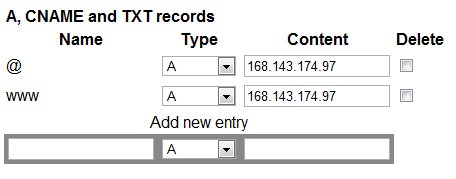
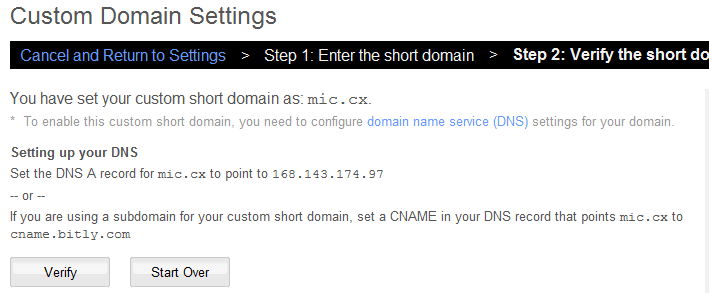
When you see this, change the IP address which is currently in there (may be worth making a note of this in case you mess up the first time like I did!) to the IP address “168.143.174.97” which is for Bit.ly. Other URL shortening services that offer this will have a different IP to enter, so check on their FAQ’s.
The “@” above, strangely, has no relation to email. It is referring to your domain in its purest form with no sub-domain. So for example that would mean mine is “http://mic.cx”
The “www” is referring to the URL “http://www.mic.cx” – but since Bit.ly doesn’t use this, then there is no real need to put this in – although I have done anyway for good luck.
Be aware that once you have updated the DNS settings this can take around 24-48 hrs to propagate the internet so be patient!
Step 3 – Add Custom Short Domain to Bit.ly
The next step is to go to Bit.ly (i’m assuming you already have an account at this point – if not sign up!) and click on the “settings” link from the drop down where your username is. Then add in your new URL into the box provided and go to the next step.
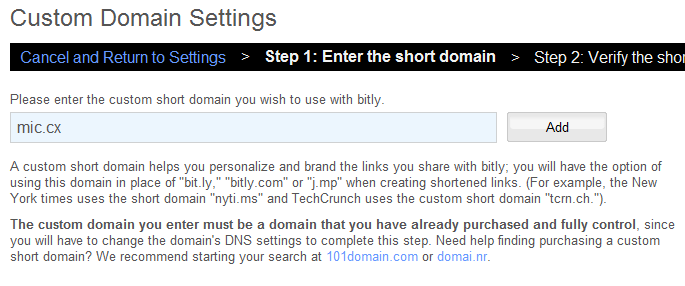
Step 4 – Verify Your New Domain
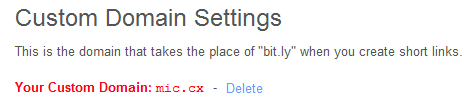
Step 5 – Success!
by Michael Cropper | Sep 14, 2011 | Data and Analytics, SEO, Tracking |
Different custom URL shorteners behave differently and can either help or hinder SEO so I have put this guide together for reference. I will be looking at both HootSuite and Bit.ly in this article to show how the different options behave.
HootSuite & Ow.ly
HootSuite has 4 different options when shortening URLs with their service. Each of the shorteners behave slightly differently, all have a use, but the only one that passes any SEO benefit is the one that 301 redirects the user to the page on your site.
Ow.ly
This URL shortener will automatically 301 redirect visitors to your website and passes all of the SEO benefit to your site which is what we all want.
Example: http://ow.ly/5Fjta
Owl.li
This URL shortener will 302 redirect visitors to your site although with it being a 302 redirect then there is no SEO benefit passed through this link. This may be a good option when linking out to websites other than your own if you don’t want to be seen as endorsing them in the eyes of Google.
Example: http://owl.li/5Fjwl
Hl.ly & Ht.li
Both of the URL shorteners above actually display the content of the page on your site, but on their URL which is no good for SEO. This has been implemented via an iFrame, which Google find difficult to index correctly. This page does have it’s benefits though, mainly being that these pages include lots of social sharing buttons at the top of the page. So even though the pages do not pass any direct SEO benefit, they could still be beneficial if they result in more people sharing the pages with their friends. Although personally, it is not my choice.
Example: http://ht.ly/5Fjxk and http://htl.li/5FjyV
Bit.ly
Now looking at how Bit.ly shortens URLs, they also have several options which all 301 redirect and do not have the variety that HootSuite have.
I am a little confused as to why there are 3 different URLs that all behave in the same way, maybe it is due to the limitations of custom URL shoreners – The fact that you can only have a maximum number of possible short URLs using 6 alpha-numeric characters (which is into the millions mind!).
There are also lots of other URL shortening services out there which likely behave in similar ways and offer different methods of redirection, so it is just something to be aware of when pasting these short URLs around the internet. Make sure they are passing the benefit you require.
Goo.gl
tinyurl.com
is.gd
ow.ly
bit.ly
by Michael Cropper | Sep 14, 2011 | Data and Analytics, SEO, Social Media, Tracking |
An interesting way to monitor how successful your competitors social media channels are is based on how many people are actually interacting with links and information they are sharing. This can then be compared with your own statistics to see how different your fans and followers are to that of your competitors.
It can be extremely easy to increase fans and followers on social media by linking up your current customers who are visiting your site using the various ‘follow me’ on social media buttons that are available these days. Along with running engaging competitions that will make current fans and followers entice their friends to join up.

But back to monitoring competitors click statistics.
When people are using the Bit.ly service for shortening URLs, via any of their domains or a custom URL shortener that has been set up, then you can easily see the statistics on that link simply by adding a + to the end of the URL.
For example, here is an old link that I have shared so you can see some statistics http://mic.cx/qxuDRb+
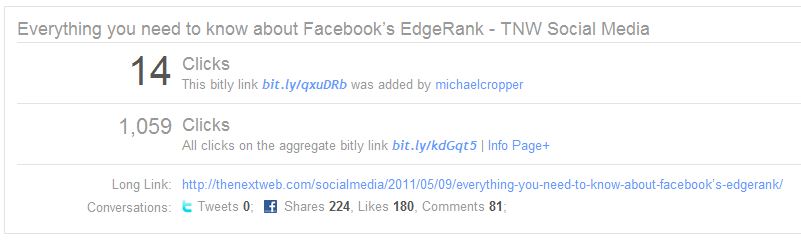
Similar statistics are also available when using Goo.gl URL shortnener, for example here is a recent URL Google shared http://goo.gl/87NmF+
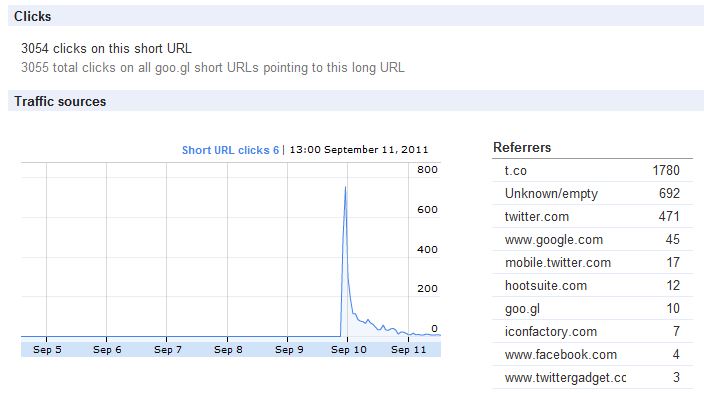
The above link shows lots of cool information which shows you how successful competitors links are and how much influence they really have from their thousands of followers.
I haven’t tried all URL shortening services to see if similar statistics are available, but since these are two of the main ones I thought I would just cover those for the time being.
There may be a way to automatically pull all of this data into a Google Doc Spreadsheet and automatically compare how followers and fans behave on the links that have been shared, although with twitter now using “t.co” for all links contained within tweets (at least via their API that is how everything comes back) then I am not sure this will be as easy to generate. Although if anyone does know of a way to do this, then please do share.
In summary, this piece of information to find out how engaged fans and followers are can be very valuable in addition to just monitoring the number of people following you on social media. This should provide some additional information into your competitors.
by Michael Cropper | Jun 14, 2011 | SEO, Social Media |
Twitter announces the new follow button, Google announces the launch of their +1 button, we already have the ability for a Facebook Like button and we have the fantastic AddThis too.
This seems like an awful lot of buttons to me – but I do believe there is a benefit to each of them (well most) if used correctly.
The new Twitter one-click-to-follow button is a great opportunity to get more people following you on twitter as it cuts out one of the steps required to follow. Previously people had to click from your site though to your twitter page, they then had to click to follow you. This seems like a small difference but I believe it is an important one, the easier you make it for people to do something then the more likely it is that they will do it.
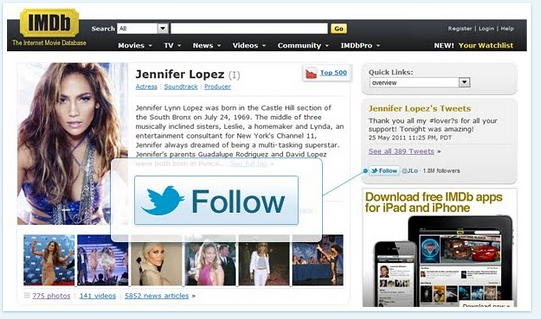
The Facebook Like button has been around for a while and the benefits are phenomenal when incorporating this. The summary of the Like Button means that all of your website is now part of Facebook’s social graph, meaning that your pages can be found if people search for certain things via the Facebook search box (as long as the page has been shared at least once). You then get access to lots of cool information about this user which can be used to personalise pages and show which of their friends also like this page/item/category etc.

The AddThis plugin in my opinion is the best thing since sliced bread. It incorporates all of the main social media websites, it automatically orders the list of sharing buttons based on the individual users preferences if they have use it before (or ordered by global popularity if user has never used AddThis). What a great tool and we all know as SEOs that the more shares/tweets/links generated then the better your site will rank in the SERPs.
Regardless of any SEO benefit here though, it is still the right thing to do when encouraging more people to share your content as this is the modern day word-of-mouth. This is real people sharing this content/product with their real friends and associates.
Now the only odd one in the list above is the new Google +1 button. When did Google decide this was a good idea? Why did Google decide this was a good idea? I can totally understand this from a data collection point as this data can be used to personalise a users search results based on the websites they like (which IMO isn’t likely to work as well as Google would like). The data can also be used as great information to personalise the sponsored adverts too. But I am yet to be convinced of the true value for the user behind this – only time will tell I guess.
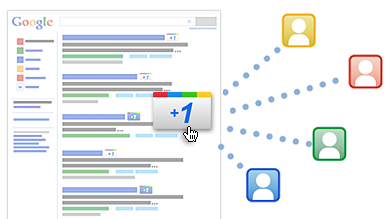
Currently the plus 1 button requires a separate install as it is not yet bundled within the main AddThis button. When I asked AddThis when this would be available, they were unsure of a timescale for this.
In the mean time though whilst I wait for some more information about this button and how successful / unsuccessful it turns out to be, I may install it and give it a go!
by Michael Cropper | May 14, 2011 | News, PPC, SEO |
As I am sure anyone in the SEO game is familiar with the Google AdWords Keywords Tool that shows the popularity of various search terms. What you may not be aware of is the cheeky actions Google is doing for people arriving at the keyword tool from Bing.
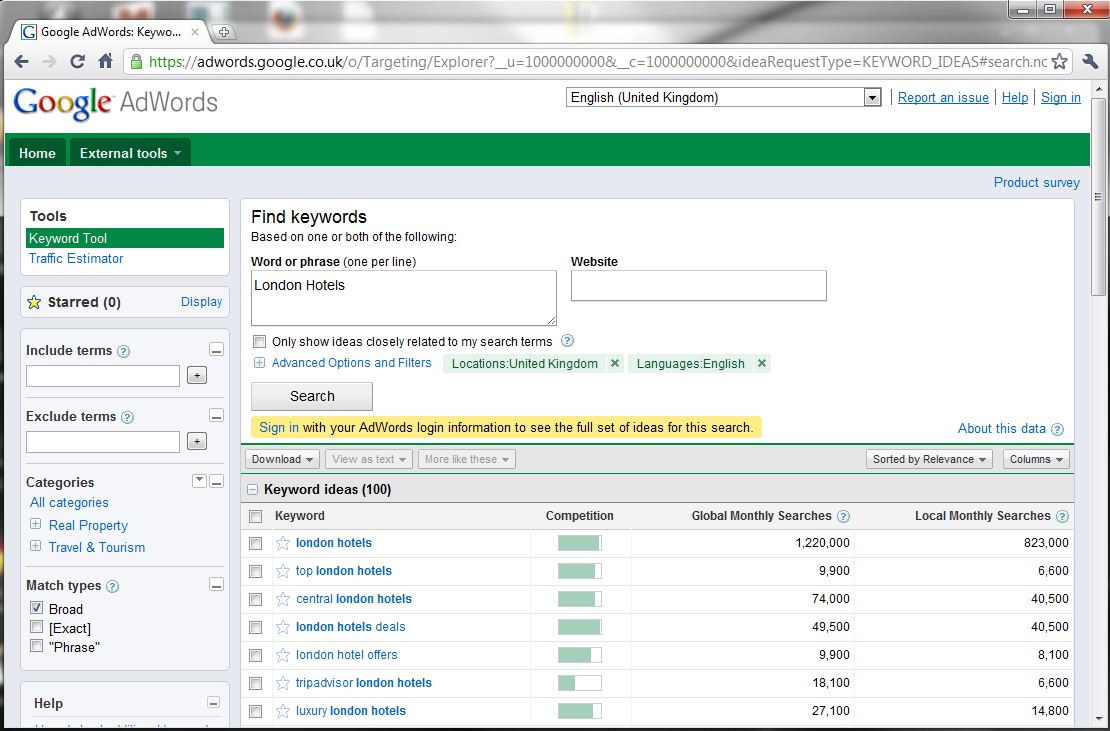
So here is the normal actions for when you arrive at the Keyword Tool from the Google SERPS and search for “Broad Match” information
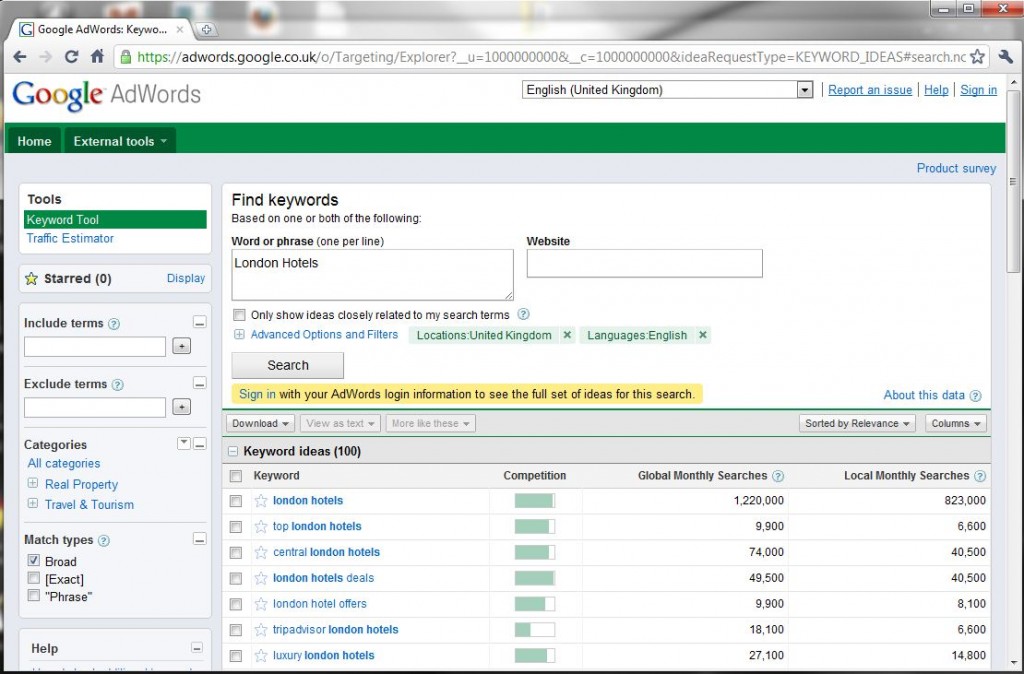
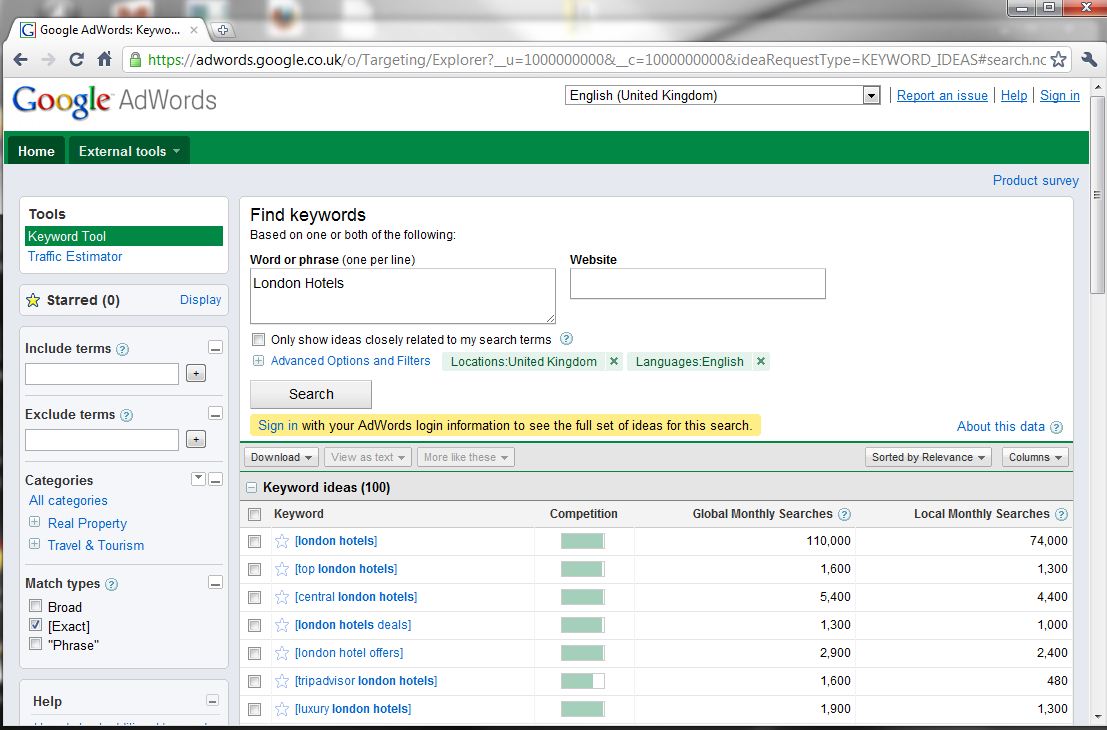
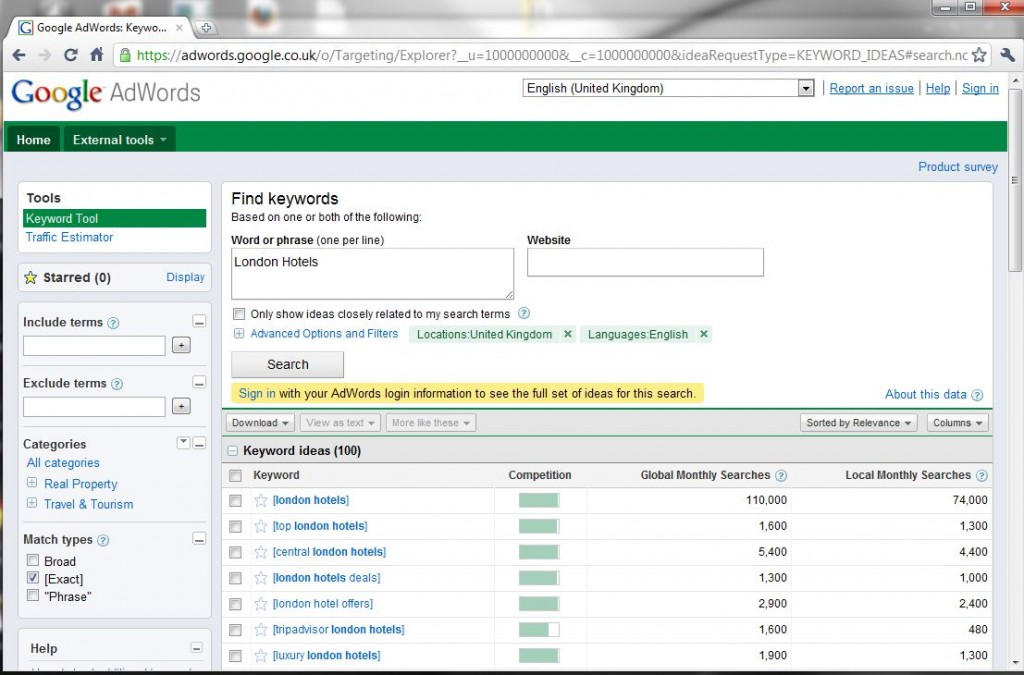
Then when you select the “Exact Match” (aka, useful information) you get to see the data that can be acted upon
Now when you try and repeat the above process when entering the keyword tool from Bing’s SERPs you get an all together different result.
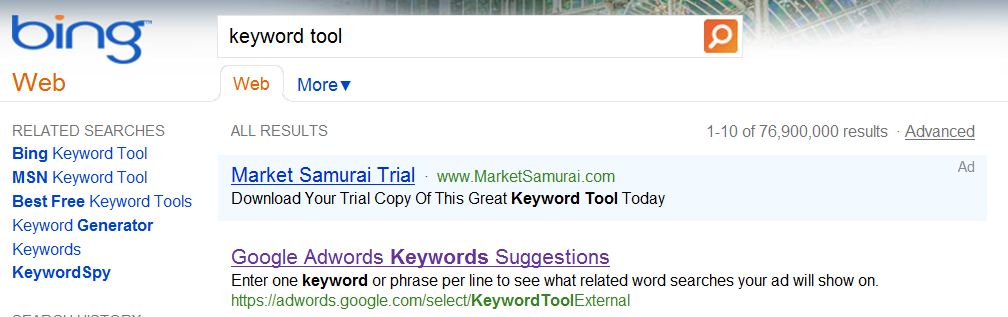
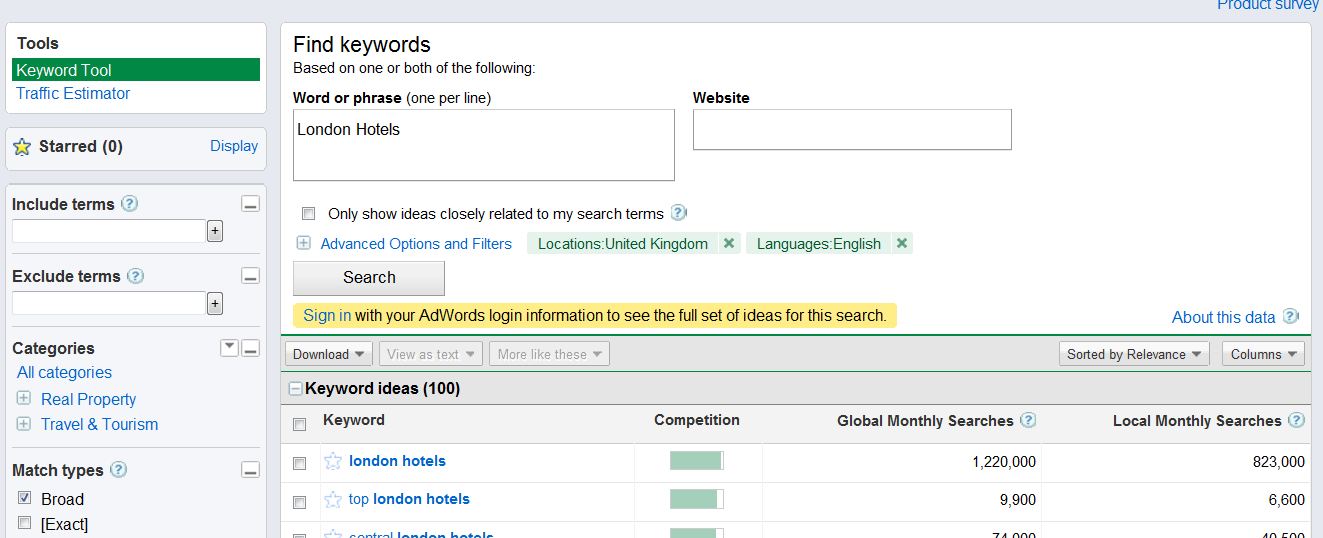
Then when arriving at the tool, everything seems normal to begin with when the default match type is set to “Broad” (aka, worthless data).
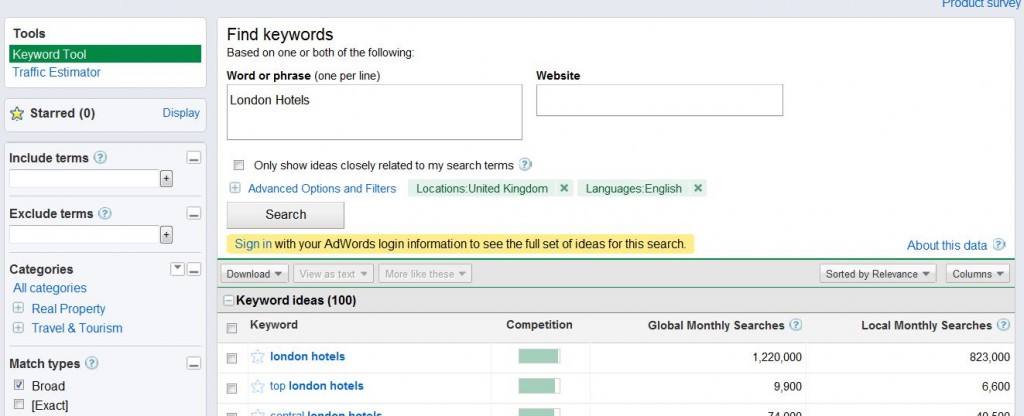
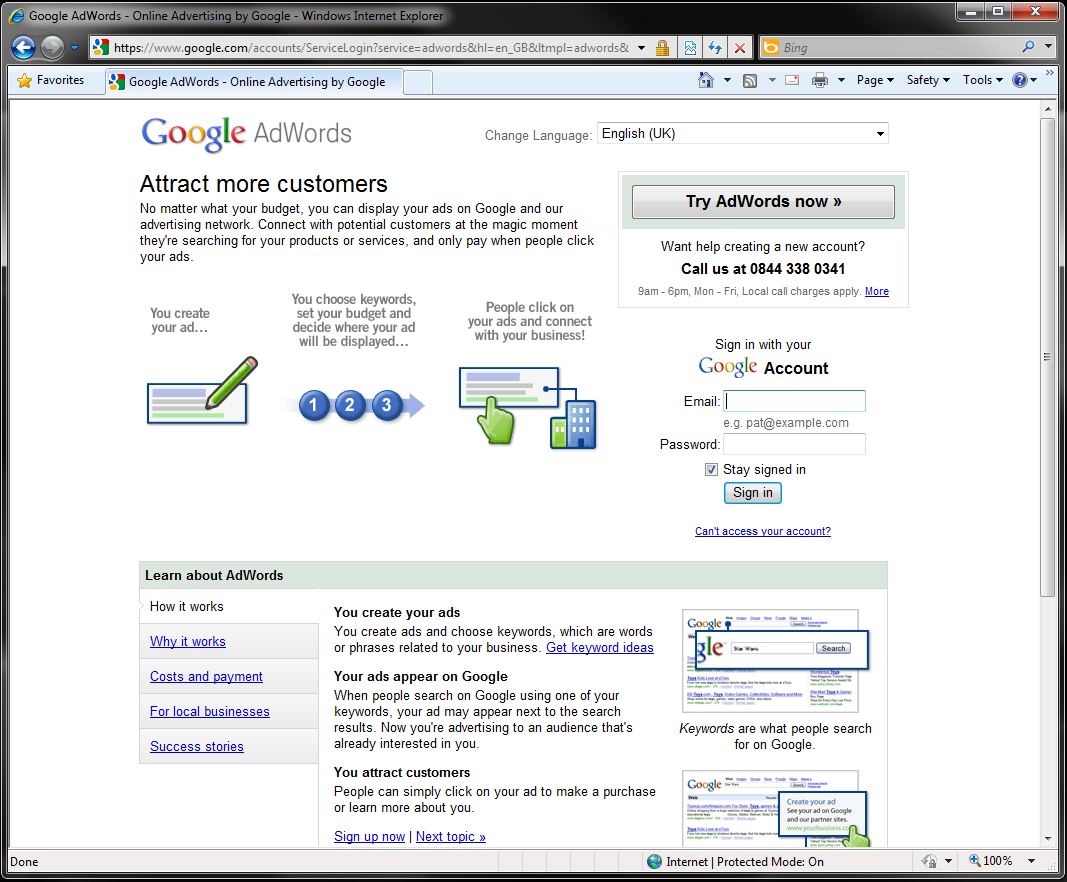
Now the interesting part comes when selecting to view all of the information on the “Exact Match” type
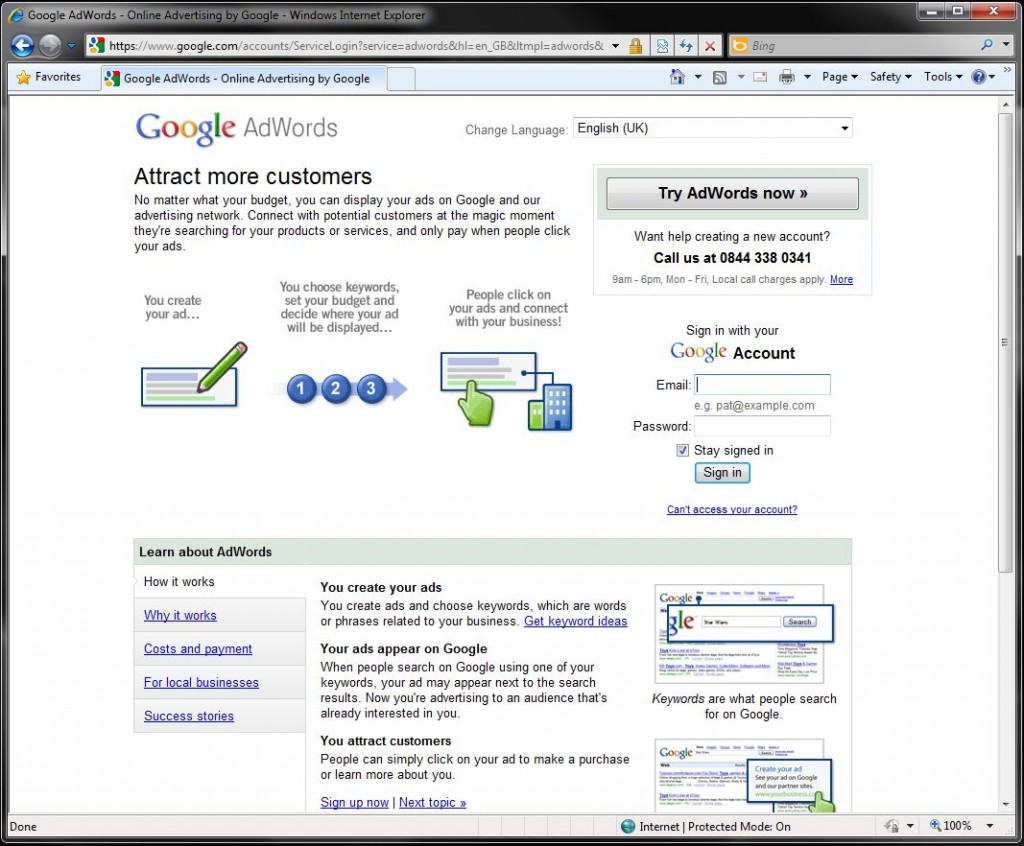
Yes that’s right, Google is doing a cheeky redirect to users who are arriving at the keyword tool form Bing. Google is forcing Bing users to sign up with Google AdWords to view the same information that is publicly available when arriving at the tool from the Google SERPs.
Is this right for Google to be doing this? Who knows. But they are and I am sure they will have some metrics which show how effective this has been. Maybe Bing should remove this URL from their SERPs in response to this? Seems crazy how Bing would be showing results for their competitors advertising platform, when instead they could promote their own better.